InnoShot is coming to the Chrome Web Store
Version 1.0.0 is built and packaged but not yet published on the Chrome Web Store. When the listing is live, this page will link straight to it. Here is exactly what you will get.
How installing will work
-
1
Open the listing
When the listing is live, the button on this page will open InnoShot on the Chrome Web Store.
-
2
Add to Chrome
Chrome asks you to confirm. InnoShot requests no host permissions, so it does not ask to read and change your data on every website: it can act on a tab only after you start a capture there.
-
3
Pin it and capture
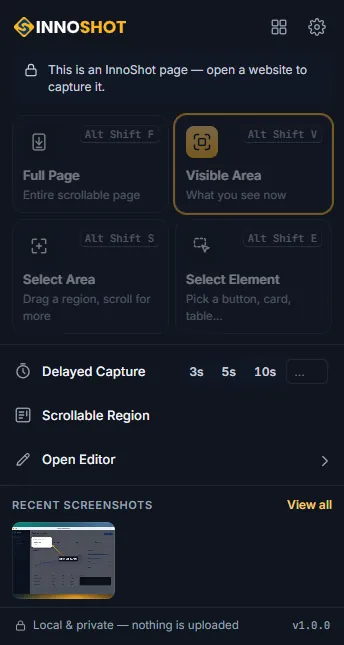
Pin InnoShot from the puzzle-piece menu so its icon is always in the toolbar, then open an ordinary web page and press Alt+Shift+V for a first capture.
| Browser | Status |
|---|---|
| Google Chrome 116 or newer (desktop) Windows, macOS, Linux and ChromeOS. Tested on Windows 11; macOS, Linux and ChromeOS are expected to work but not yet manually verified. | Supported |
| Microsoft Edge Can install Chrome Web Store extensions and may work, but is not tested or supported in InnoShot 1.0.0. | Not supported in 1.0.0 |
| Brave Can install Chrome Web Store extensions and may work, but is not tested or supported in InnoShot 1.0.0. | Not supported in 1.0.0 |
| Firefox and Safari Not available. InnoShot is a Chrome (Manifest V3) extension. | Not available |
| Chrome on Android and iOS Chrome on Android and iOS does not run extensions. | Not available |
Everything is in the free extension
There is no account to create and nothing to unlock. These are the parts of InnoShot you will install.
-
Capture
Visible area, full page, selected area, element, scrollable containers and delayed capture.
-
Editor
Layers, non-destructive crop, adjustments, undo and redo, autosave, light and dark themes.
-
Annotations
Arrows, shapes, text, highlighter, numbered markers, callouts and a magnifier.
-
Effects
Spotlight, glass panels, backgrounds, rounded corners, shadows, browser and device frames.
-
Privacy tools
Cosmetic blur and pixelate, and permanent redaction flattened into every export.
-
Export
PNG, JPEG, WebP, SVG and paginated PDF, plus copy to clipboard.
Version
- Version
- 1.0.0
- Status
- Upcoming
The first public release of InnoShot, coming to the Chrome Web Store.
ChangelogRequirements
- Google Chrome 116 or newer on Windows, macOS, Linux or ChromeOS (desktop). Tested on Windows 11; the others are expected to work but not yet manually verified.
- No account, no sign-in, no payment details.
- An internet connection only to install; everything after that works offline.
- Permissions: activeTab, scripting, storage, unlimitedStorage, contextMenus. Why each one